

Dashboards for every month, quarter or year
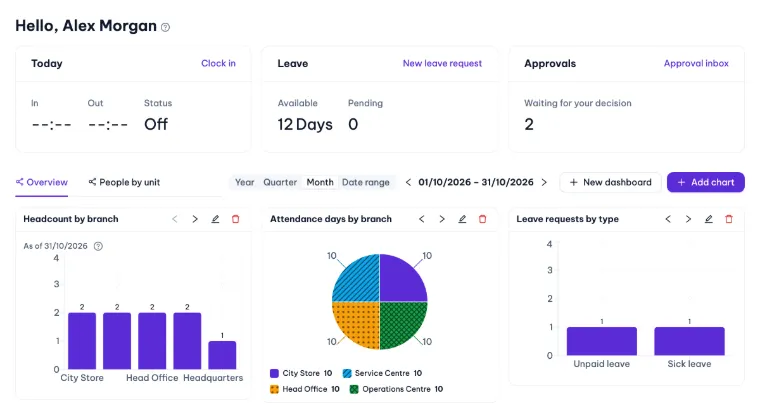
Start with ready-made dashboards and add your own charts for headcount, attendance, leave and overtime.

From daily attendance to month-end payroll, on the web for managers and in the mobile app for employees.
14-day Plus trial. After that, continue on Free and keep your data.
Turn on what you need today and add more as you grow. Every module shares the same people, permissions and approval engine.
Real screens from a workspace with sample data: the same product your team gets on day one.
Start with ready-made dashboards and add your own charts for headcount, attendance, leave and overtime.
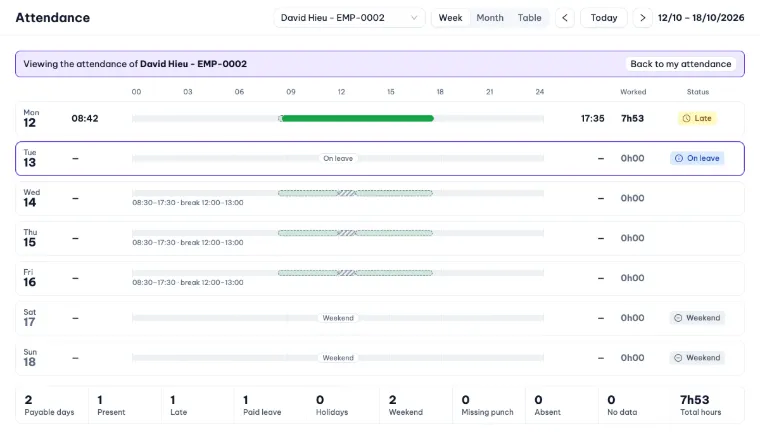
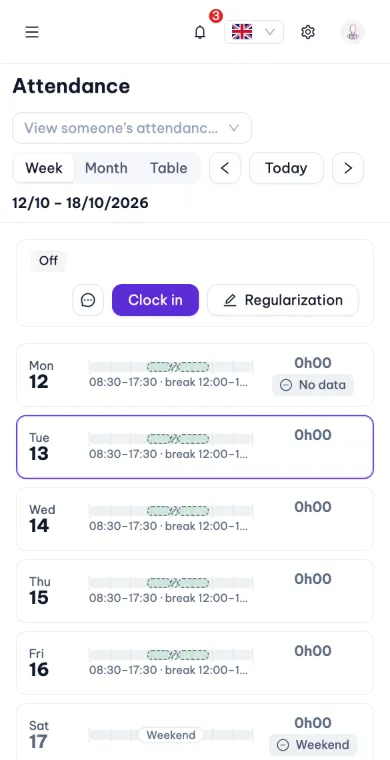
Clock-ins, the planned shift with its break, leave and weekends on one timeline per day, with worked hours and a clear status for every day.
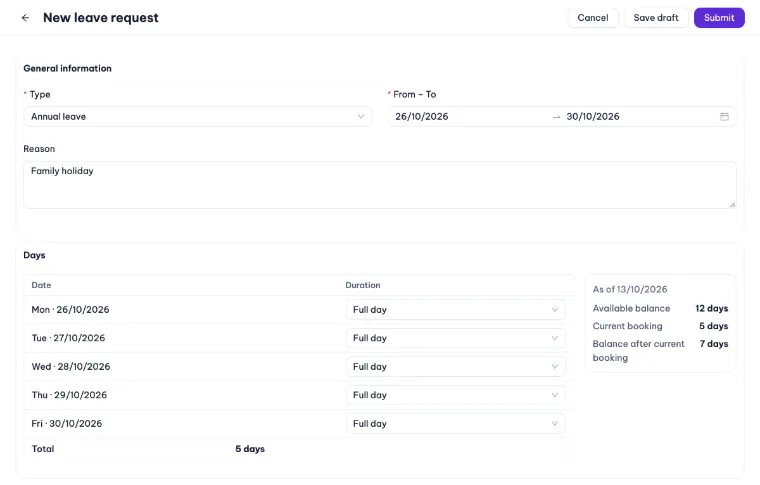
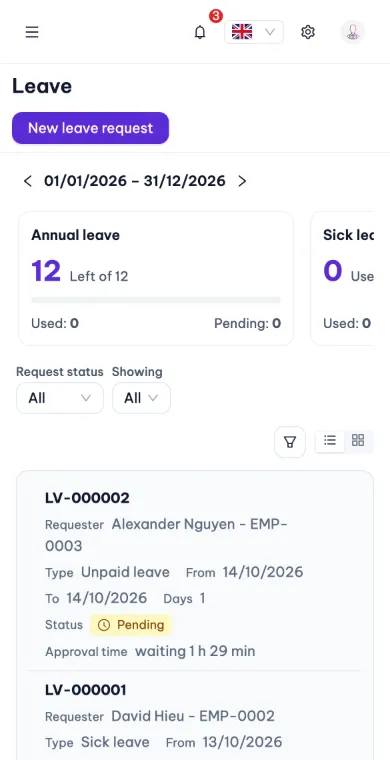
Pick the dates, choose full day or half day for each one and see the balance before and after. Weekends and holidays are left out for you.
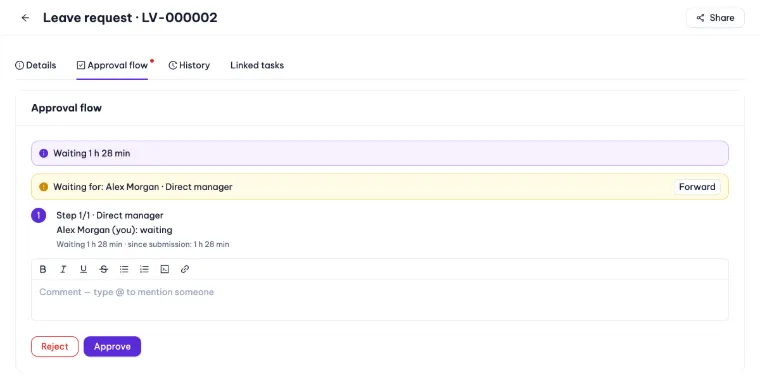
Every request shows who it is waiting for, how long it has waited and every step. Approve, reject or forward with a comment and @mentions.
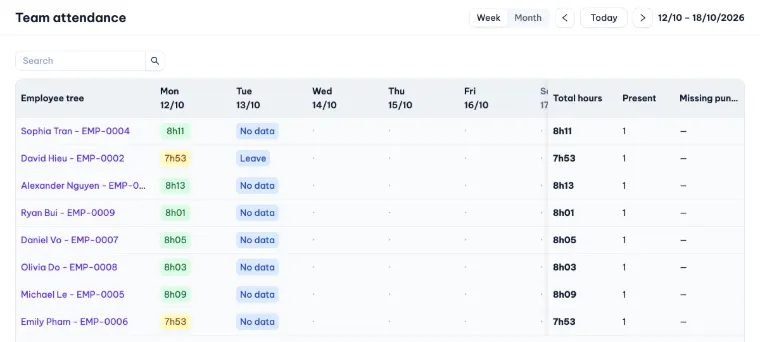
Managers see who worked how long each day, who is on leave and who is missing a punch, and open any day for the details.
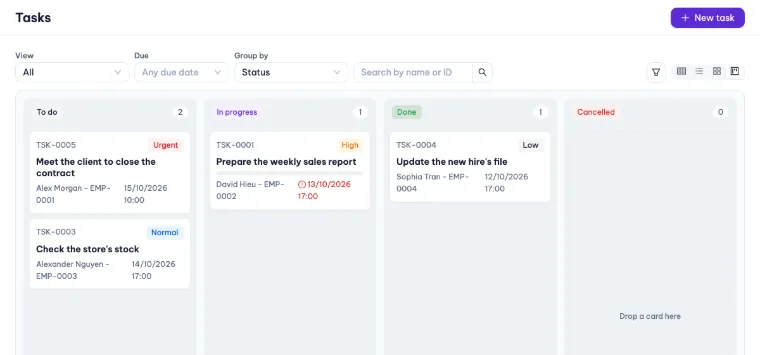
Group work by status, priority, person or team and drag cards between columns.
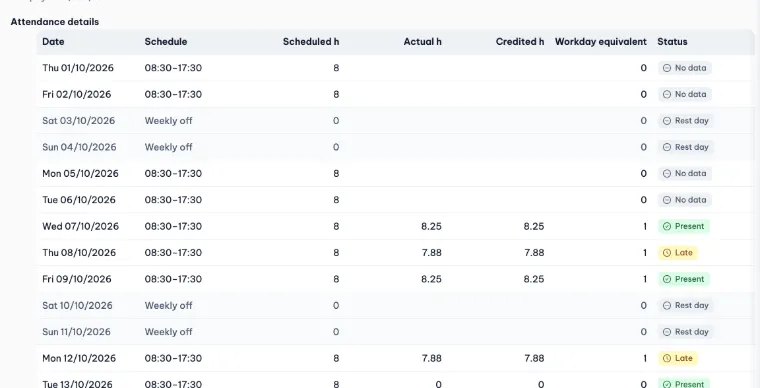
Every payslip keeps the schedule, the hours and the status of each day of the period, so people see exactly what was counted.
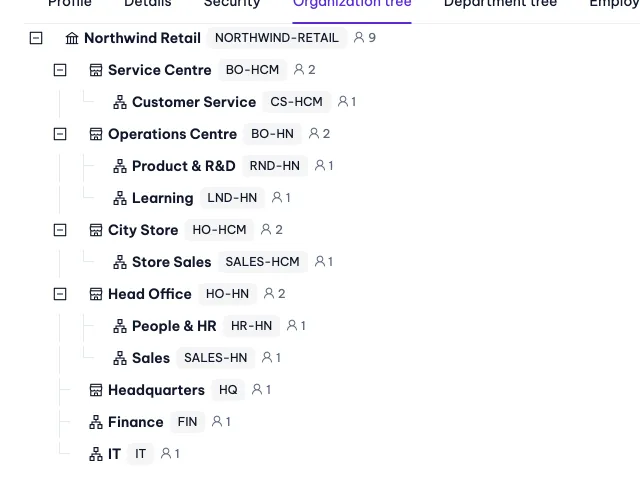
Companies, branches and departments in one tree, with the number of people in each unit.
The same workspace on a phone: clock in with one button, check the week and send a leave request in seconds.
Rules are data, not code: each company keeps its own calendar, time zone and statutory setup.
Social contributions, reference wages and income tax come as versioned country packs with sources and effective dates. Every change a company makes is audited.
Every timestamp is stored in UTC and shown in the time zone of the branch or company it belongs to.
Each legal entity sets its own weekly days off and public holidays. Leave, overtime and payroll follow them.
Interface in English, Vietnamese and Japanese, and each person picks their own language. Date, time and name formats follow your organization.
Monthly price per workspace.
New workspaces get a 14-day Plus trial with up to 3 sign-in accounts. If the trial ends without payment, the workspace moves to Free and keeps all its data.
| Item | FreeVND 0per month | PremiumVND 200,000per month | 14-day trialPlusVND 500,000per month | EnterpriseContact usby contract |
|---|---|---|---|---|
| Users | 3 | 20 | 50 | Custom |
| Legal entities | 1 | Several | Unlimited | Unlimited |
| Branches | 1 | Several | Unlimited | Unlimited |
| Divisions | 1 | Several | Unlimited | Unlimited |
| Reporting lines | Direct | Direct + second manager | + Cross-company | + Cross-company |
| Switch working company | No | No | Yes | Yes |
| Attendance history | 3 months | Unlimited | Unlimited | Unlimited |
| Payroll & payslips | No | Yes | Yes | Yes |
| Webhooks, Open API, SSO | No | No | Yes | Yes |
| Custom domain | No | No | Yes | Yes |
Enterprise: private cloud or on-premise installation, customization and integration by contract.
No. New workspaces use the Plus plan free for 14 days. Then you choose a paid plan or continue on Free.
No. The workspace moves to Free and keeps its data. Only creating more than the Free limits is blocked.
With the mobile app or a browser. You decide the conditions: within a place radius, on the right Wi-Fi, taking a selfie, or none at all.
Yes, on paid plans. Social contributions, income tax, overtime rates and night-work allowance are data per company, starting from a country pack, and a Vietnam pack is included. You can add your own formula columns to a payroll template.
Yes, with the Enterprise plan. Please contact us about deployment and licensing.
The workspace owner upgrades and pays in the web app, by invoice for each billing period.
Create a free workspace, invite your team and start clocking in today.